

Compliance Built for Automated Invoice Operations
How Advintek Connects Power Automate to Ghana's E-Invoicing System
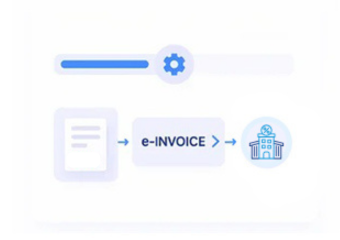
- Reaching the Trigger: Once your flow reaches its invoicing step, Advintek activates and pulls the record being processed.
- Checking for Gaps: If a field is missing or malformed, it’s caught here — before GRA ever sees the transmission.
- Converting to JSON: Once validated, the data is converted into the JSON structure the VSDC requires.
- Submitting for Clearance: That payload goes to the GRA’s Virtual Sales Data Controller in real time.
- Returning the Result: The response — IRN, signature, QR code — comes back as flow output values you can branch on.
- Logging the Archive: The cleared invoice is logged into a six-year archive automatically, with no separate filing step.
What Is Advintek's Ghana E-Invoice Connector for Power Automate?
Rather than replacing anything in your flow designer, Advintek becomes a single step inside it. Whatever data your flow assembles gets clearance applied, and the flow moves on with an IRN and QR code attached — same automation, one added checkpoint.
- Fits as a native-feeling step, not a bolt-on
- Returns IRN, signature, and QR code as usable flow variables
- Provides branches for rejected or delayed responses
- Supports both cloud and desktop flow types
Why Power Automate Customers Rely on Advintek
- No Architecture Rebuild: Nothing about your existing automation architecture needs rebuilding — clearance sits inside it.
- Consistent Across Teams: Sales flows, procurement flows, and subscription billing flows all behave the same way regardless of which team built them.
- Immediate Failure Visibility: A rejection surfaces right away through your own error branch, rather than failing quietly downstream.
- New Flows Inherit It: A flow built next month by a different department picks up the same clearance behavior automatically.
- No Re-Teaching Required: Nobody has to explain the setup again each time a new flow gets built.
- Centralized, Not Scattered: Clearance logic lives in one place instead of being duplicated across every flow.
Complete Control Over Ghana E-Invoicing Workflows in One Platform
Error Detection and Resolution Support
Clearance drops in as a native action inside your existing flow designer.
Dashboard and Reporting
A single dashboard shows clearance status regardless of which flow or team owns it.
Dedicated e-Invoicing Support
Field mappings get adjusted as GRA rules shift, so flows don't quietly start failing months later.
Ghana E-Invoicing Compliance for Power Automate Operations
Different departments build flows differently — that’s just how Power Automate libraries end up looking after a year or two. Advintek doesn’t require them to converge on one design first. The same clearance logic applies underneath regardless of how the flow above it was built, which means compliance doesn’t hinge on every team following the same conventions.
- Uniform clearance logic applies across varied flow designs
- No requirement for flows to be standardized first
- Coverage extends automatically as new flows are added
- Removes flow-by-flow compliance review from the process
With Microsoft Power Automate Built-In
Add GRA clearance as a step inside flows your teams have already built — nothing else about them changes.
Automating on a different platform? Advintek builds tailored Ghana e-invoicing connectors for a wide range of systems.
Ready e-Invoice System
Frequently Asked Questions Power Automate e-Invoicing Ghana
Is there a native GRA action inside Power Automate?
No. Advintek adds the GRA clearance step as a connector within your flow, enabling compliant invoice validation and submission without replacing existing automation.
Will this break flows we've already built?
It shouldn’t. The connector is added as a separate workflow step, allowing your existing actions, approvals, and business logic to remain unchanged.
What happens if GRA rejects something mid-flow?
Rejected invoices can be routed through a dedicated branch for review, correction, or resubmission instead of causing the entire workflow to fail unexpectedly.
Desktop flows too, or just cloud?
Both. The connector supports cloud and desktop flows, helping businesses apply the same GRA-compliant clearance process across every automation environment.
Can flows built by different departments share one connector?
Yes. A single connector configuration can support multiple flows across departments, helping maintain consistent GRA compliance without separate setup for every team.